Ntamara's General watches you fill in a form properly, one time. Then it does the same thing for every row of your spreadsheet, in your browser or in a Windows program, while you get on with something that actually needs you.
Version 1.7.3 · 72 MB · Windows 10 or 11 · No account, no email, no coding
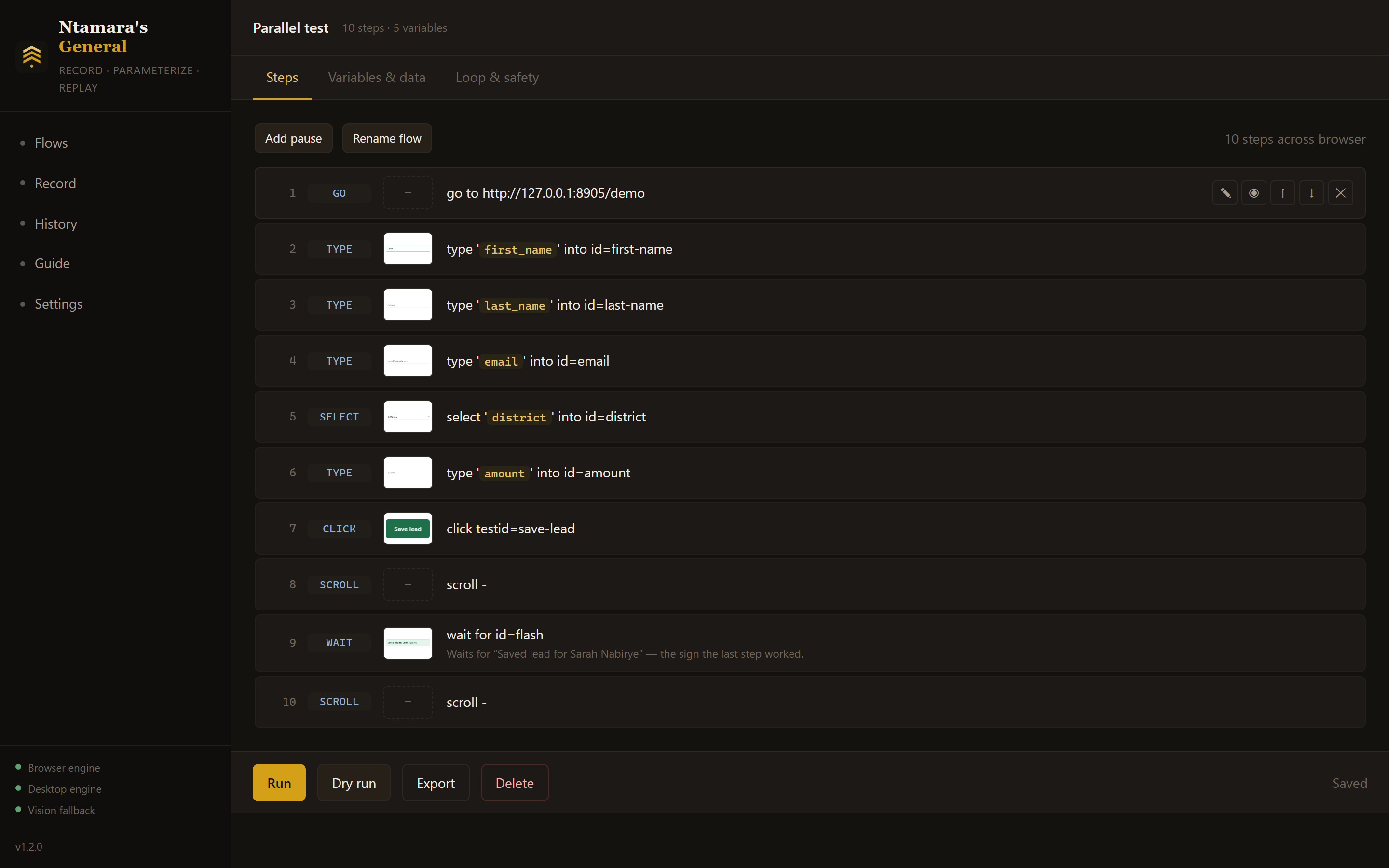
Every step shows its controlSo you can see what it will actually do, before it does it four hundred times.
Four hundred rows in a spreadsheet, and a form that has to be filled in four hundred times. It is not hard. It is not interesting. And nobody else can do it, because it is your login and your system.
You do the job properly one time, at your own pace, while it watches. No scripting, no recording buttons to learn, no setup.
It swaps what you typed for your spreadsheet columns and repeats the whole thing, row after row, exactly as you did it.
A live log shows every step as it happens. Anything that fails is photographed, so you can see what the screen looked like.
There is nothing to configure before you start. Press record, do your job, and it walks you through the rest.
Press record and do the task. Every click, every keystroke, every window you switch to. Wait for the confirmation on screen before you stop — it notices what you waited for, and waits for it too.
Every step shows a small picture of the button or box it touched, so you can see at a glance that step four really is the email field. Nothing to read, nothing technical.
Upload a spreadsheet, or paste straight out of Excel. Columns that match what you typed are matched for you. Everything you typed while recording is already a slot waiting for data.
Run the first row on its own and look at the result. If it is right, run the rest. If it is wrong, you have changed one record instead of four hundred.
Most tools like this break the day a developer renames a button, and you start again from scratch. This one does three things before it gives up.
It remembers nine different ways of finding every button and box, so a renamed field costs nothing while the label survives.
It hunts for the control that moved. If nothing matches, it looks for whatever most resembles what you recorded, uses it, and remembers the new location permanently. If two things look equally likely, it stops rather than guess — clicking the wrong row is worse than stopping.
You can point at the right one. One click on the broken step, and it opens the page and lets you show it. Your click is not passed on to the page, so pointing at a Delete button deletes nothing. One step is fixed. Nothing is re-recorded.
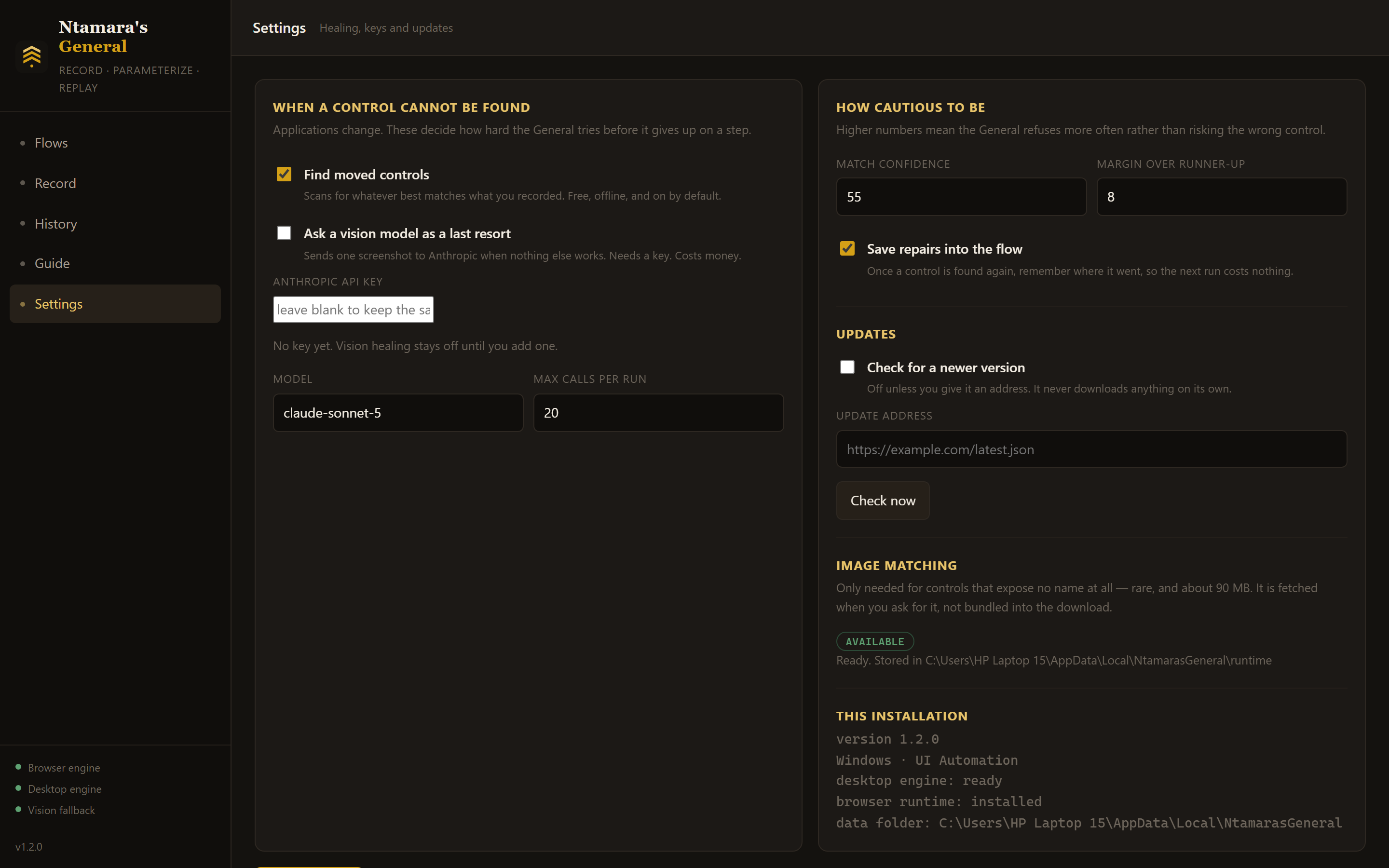
You decide how hard it triesAnd how cautious it is before it refuses to guess.
This is a program that can type into any window on your computer. Here is what it refuses to do, by design.
It never records what you type into a password or one-time-code box. You get a step with an empty value and a note asking you to fill it in yourself.
It will not select-all and overwrite inside a document. Clearing a box before typing only happens in short, single-line fields where that is obviously what you meant.
Nothing is sent anywhere. Recordings, spreadsheets and reports stay in one folder on your machine. Deleting that folder removes every trace.
It also puts your clipboard back the way it found it, and every loop has a hard stop behind it, so a mistake can never run away with itself.
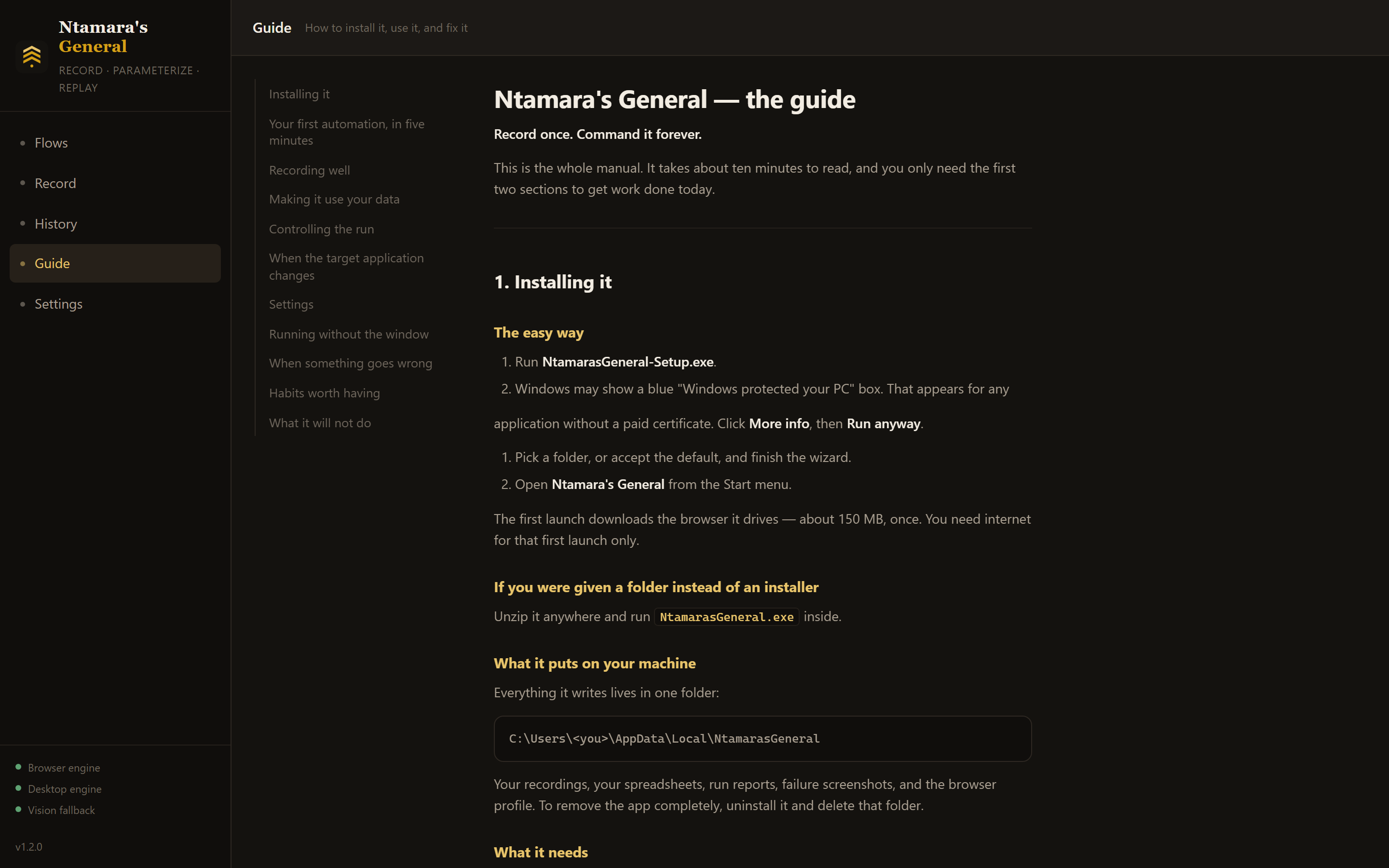
The manual is inside the appEleven sections in plain English, and it works with no internet.
It comes with two practice targets — a pretend web form and a pretend Windows program — so you can record, replay and get it wrong without touching anything real.
Ten tutorials sit in the sidebar, each one a job people actually bring to it: a form filled from a spreadsheet, a report downloaded every morning with nothing open, a spreadsheet typed into a Windows program, a list collected off a website. Numbered steps, and a section on what to do when it goes wrong.
Templates are ready made automations. One runs immediately against the practice form, with data already attached, so you can see how a recording, a variable and a spreadsheet fit together before building your own. You can turn your own work into a template too, and it strips your data and your file paths out so it is safe to send to somebody else.
The full manual is under Guide, and it works offline. Give it ten minutes with the practice form. By the end of that you will know whether it is worth pointing at your real work.
No account, no email address, no trial that expires. Download it, unzip it, run it.
Version 1.7.3 · 72 MB · Windows 10 or 11 · No installation and no administrator rights needed.
You only download it by hand once. From this version on it updates itself: press Update now when it tells you there is a new version, and it fetches it, checks it against a published checksum, makes sure it starts, and puts it in place. Nothing is downloaded until you press the button, and the check itself sends nothing about you.
Windows will warn you the first time. A blue box saying “Windows protected your PC” appears for any program that has not been signed with a paid certificate, which this one has not yet. Click More info, then Run anyway. The download page publishes a checksum if you would rather verify it yourself.
No. There is nothing to write. You do the task with your own hands and it watches. If you can fill in a form, you can use it.
No, and that is the point of it. It drives normal Windows programs too, in the same recording. You can copy something out of a web page and paste it into your accounting program four hundred times as one job.
Most likely. It works with anything that shows up properly to Windows, which is nearly everything. Record a short test against it and you will know in two minutes. If a program hides everything from Windows, it falls back to matching what things look like on screen.
Practise on the built-in practice targets first, then run one row of real data and check the result before running the rest. The app has a button for exactly that. It never records passwords, and it never sends your data anywhere.
Because it is not signed with a code-signing certificate yet, which costs a few hundred dollars a year. Windows shows that warning for every unsigned program, popular or not. Click More info, then Run anyway. A checksum is published with every release if you want to verify the file.
Not yet, honestly. The browser half would, and the Mac version of the desktop half is written, but it has never been tested on an actual Mac so it is not offered. Windows 10 and 11 only for now.
What you are downloading stays free. If paid features arrive later they will be things like running many rows at the same time or scheduling overnight jobs. Recording and replaying will not go behind a paywall.
Open an issue on the download page, or message the WhatsApp number in the footer. It is a young tool and the awkward edges are worth hearing about.